Step 1
What you need
Your own unmodified Pokémon Emerald USA/Europe ROM. A Game Boy Advance emulator. A desktop browser with JavaScript for the local patch preparer.
Community releaseReviewed 0.11.0
An Emerald ROM hack that adds movement, dodging and real-time attacks to supported battles. The guide starts by patching your own ROM.
Your own unmodified Emerald USA/Europe ROM and a GBA emulator.
Get started →Official project ↗
Source reviewed. Not game-tested by Junction.
The v0.11.0 notes add Protect against Hyper Beam, combat-menu improvements, in-battle evolution, and temporary rain and flooding.
Files are hosted by the creator. Junction links to the reviewed release.
Details reviewed · Setup reviewed .
Prepare the ROM in a desktop browser, then use a GBA emulator. The creator uses mGBA for testing.
Step 1
Your own unmodified Pokémon Emerald USA/Europe ROM. A Game Boy Advance emulator. A desktop browser with JavaScript for the local patch preparer.
Step 2
Download Emerald-Arena-0.11.0.zip and extract it. This is a patch preparer, not a distributed game ROM.
Step 3
Open Prepare-Emerald-Arena.html in Chrome, Firefox or Safari. Choose your original .gba and keep the page open while it validates and downloads animation data. Do not run install.mjs.
Step 4
Choose Download game, then load Emerald-Arena-0.11.0.gba in your GBA emulator. For a phone or handheld, transfer that finished file. The preparer does not upload or overwrite the original ROM.
Step 5
With no save attached to the test copy, highlight NEW GAME and press the emulator’s SELECT button, not A. Press L + R in the field for a practice fight. These are GBA button names.
Step 6
Directions move, A attacks, and B + direction dodges. Check your emulator’s button bindings. Back up in-game .sav files before updates; do not reuse emulator save states across versions.
Step 7
Unsupported encounters keep classic combat. Newer footage may show a different release; full-adventure and physical-GBA validation are not established.
Step 8
Back up the in-game .sav before updating. Import a copy for the new game, matching its filename if your emulator requires it. Do not reuse emulator save states across versions.
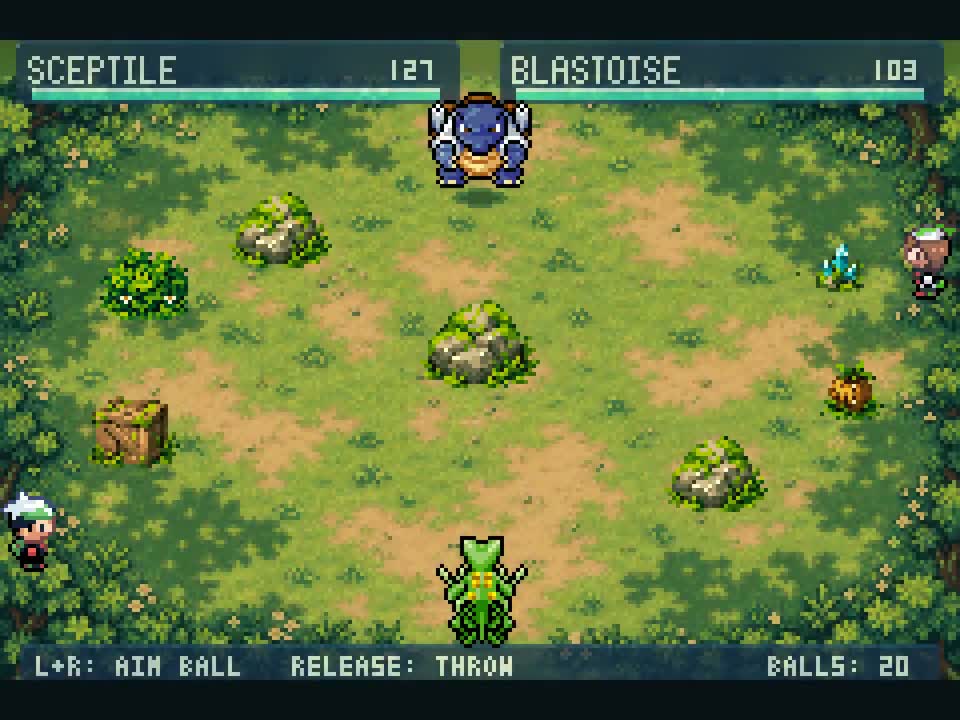
Official website poster for the “Dig, Fly, Teleport & Seismic Toss” gameplay video; the exact pictured mod version is not established.
Germán Burgardt · @germanburgardt
Creator demonstration of Dig, Fly, Teleport and Seismic Toss, linked from the official project page. Posted September 25, 2026; footage predates v0.11.0.
Germán Burgardt
The official project page collects gameplay clips and their original announcements. Video and game-art reuse permission has not been established; view them at the source.
Videos and galleries open at their original source.